
Guide
How to cancel your Higgsfield subscription: the steps, what happens to your credits, refunds and where to go next
Cancel a Higgsfield subscription on its website: open Manage Account → Subscription, scroll to Plan Settings, then click Manage Subscription, Show and Cancel Subscription. Canceling only turns off auto-renewal: you keep the plan until the paid period ends, then the account moves to the free tier; nothing you made is deleted. Subscription credits expire at the end of the period; Credit Packs bought separately are kept but still expire 90 days after purchase. There is no automatic refund: you can ask for one only on a first purchase, within 7 days (or longer where local law allows), with no credits used. Done with subscriptions? Try Sky Studio: no subscription, and credits that never expire.

How to cancel
- Sign in on the Higgsfield website, click your avatar in the top right and choose Manage Account.
- Open Subscription and scroll down to Plan Settings at the bottom of the page.
- Click Manage Subscription, then Show, then Cancel Subscription.
Higgsfield is web only: there is no mobile or desktop app, so the subscription can only be managed on its website.
Canceling a team plan
Team, Scale and Enterprise plans are canceled by the workspace Owner from the organization settings: Manage Account → Organization → Manage Account → Cancel Subscription, then submit the Subscription Cancellation Request Form.
If you only want fewer seats, you don't have to cancel: seats can't be lowered mid-cycle on your own, so contact Higgsfield support and your next renewal starts with fewer seats.
What happens when you cancel
- Nothing stops right away: you keep using what you paid for until the period ends; after that there are no more charges and the account moves to the free tier.
- Your generations stay: canceling doesn't delete your account or what you made.
- Auto-Refill stops: if you turned on Auto-Refill, it no longer charges you once you cancel.
- The free tier is thin: according to Higgsfield, it includes only a small set of models and no credits.
- You can come back any time: resubscribe from the Pricing page.
| Credit type | From canceling to the end of the period | After the period ends |
|---|---|---|
| Subscription credits | Usable as usual | Expire permanently |
| Credit Packs, Auto-Refill and Boost credits | Kept | Usable only on the free plan's models, until 90 days after purchase |
| Promo credits | Kept | Usable only on the free plan's models, until their own expiry date |
Two more things. You can buy a Credit Pack only while you have an active subscription, and its 90 days count from the purchase date, after you cancel too. So if you still have a lot of Credit Pack credits left, Higgsfield suggests downgrading to the lowest plan instead of canceling: you keep using them and pay less each month. A downgrade takes effect at your next billing cycle, and you find it in the detailed comparison on the Pricing page, not on the plan cards at the top.
Can you get a refund?
Canceling and refunds are separate: canceling only stops future charges and doesn't return what you paid for the current period. For a refund you contact Higgsfield support separately, and all three official conditions must be met:
- Initial purchase only; renewals are never refunded.
- Within 7 days of the purchase (or longer where your local law allows).
- No credits used. Free generations and Unlimited model generations don't count as credit usage.
Credit Packs and Auto-Refill charges follow the same conditions: within 7 days, with none of that charge's credits used. Offers that unlock access or features (such as Unlimited) can't be refunded once the access is granted.
If a refund is approved, a service fee of up to 6% is deducted, and the subscription is canceled on the spot, moving the account to the free tier. Annual plans don't refund the unused months pro rata: if you don't meet the conditions, the plan stays active until the end of the paid year.
To ask, send support your account email, the purchase date, the amount and the reason; Higgsfield says processing takes up to 3 business days. Consumers in the EU and the UK also have a 14-day right of withdrawal, which ends early once you start using the purchase, for example by spending credits or generating.
Can't cancel, or can't find the button?
- Check that you paid on the official website: according to Higgsfield, its website is the only place to buy subscriptions, credits and Unlimited, and any mobile or desktop app that presents itself as Higgsfield is a copy. Money paid in another app or on another site isn't a Higgsfield subscription: Higgsfield support can't activate, transfer or refund it, so you have to contact the place you paid.
- Cancel Subscription is missing: it sits inside Manage Subscription, under Plan Settings at the bottom of the Subscription page; click Show first.
- Team plans: the workspace Owner has to send the cancellation request from the organization settings (see above).
- Talk to support before your bank: Higgsfield warns that a chargeback can lead to permanent account restrictions. If you see a charge you don't recognize, check the billing history first under Manage Account → Subscription (All invoices), then contact support.
Canceling vs. deleting your account
Canceling only stops renewal; your account and generations stay. Deleting the account is a different action: it lives under Manage Account Deletion at the bottom of Manage Account → Personal Profile. It cancels the subscription automatically and stops future payments at once, but it also deletes all your generations, trained characters and projects, and any credits left on your balance are lost. After you confirm, you have 30 days to restore the account by signing back in; after that nothing can be recovered, so download what you want to keep first.
Higgsfield's Help Center also says that content already used to train AI models before deletion can't be separated from models that are already trained, and that deleted content isn't used for training going forward.
Done with subscriptions? Switch to Sky Studio
If your reason for leaving is the monthly subscription, Sky Studio uses pay-as-you-go credits that do not expire. Start with the job you need:
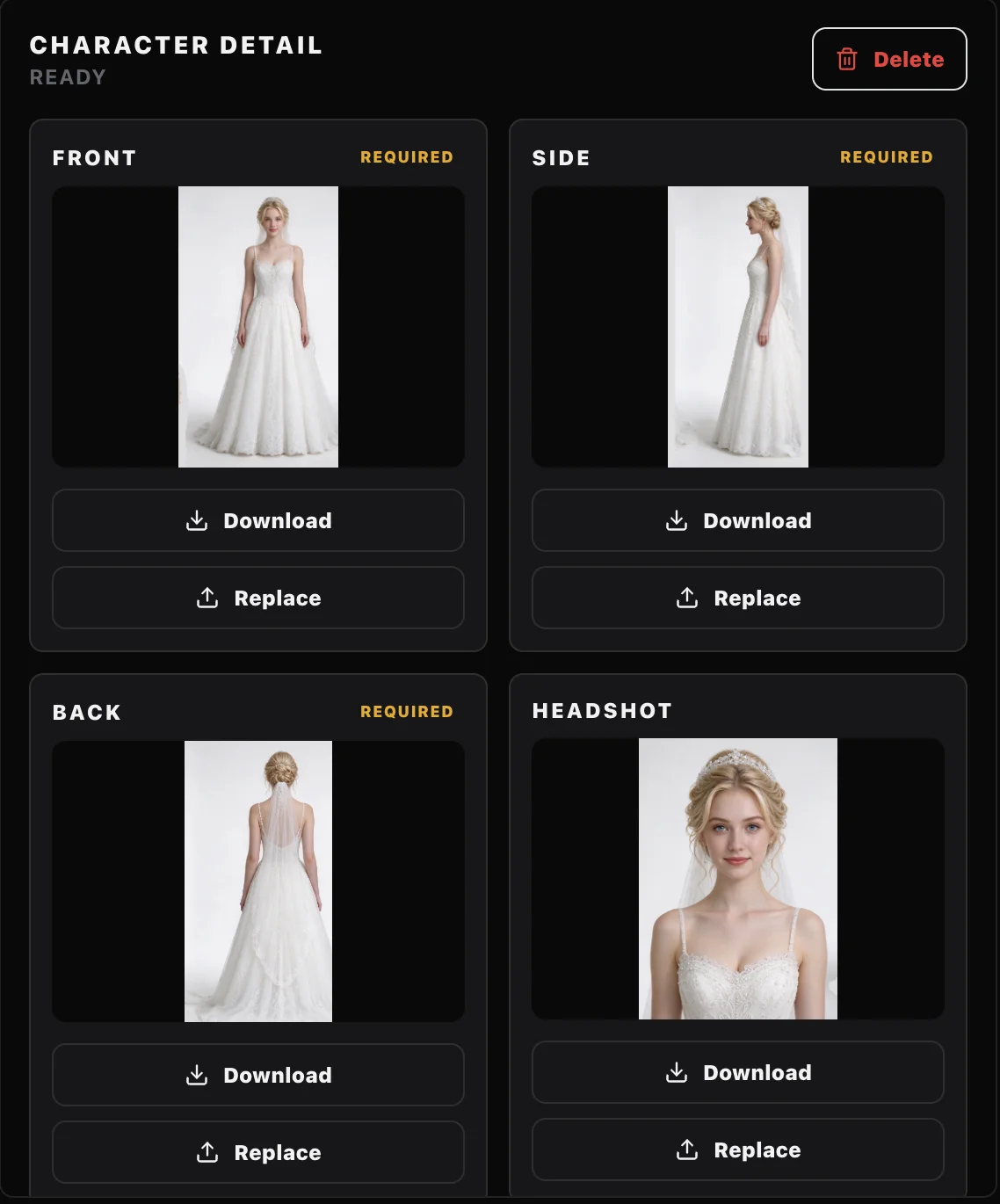
- Make a reusable character from one image or a description.
- Open the Cinematic Canvas for a story you want to turn into shots.
- Open Tools for tasks such as product images, backgrounds and relighting.
Generation uses credits. For the differences between the tools, read Higgsfield alternatives or Sky Studio vs. Higgsfield.
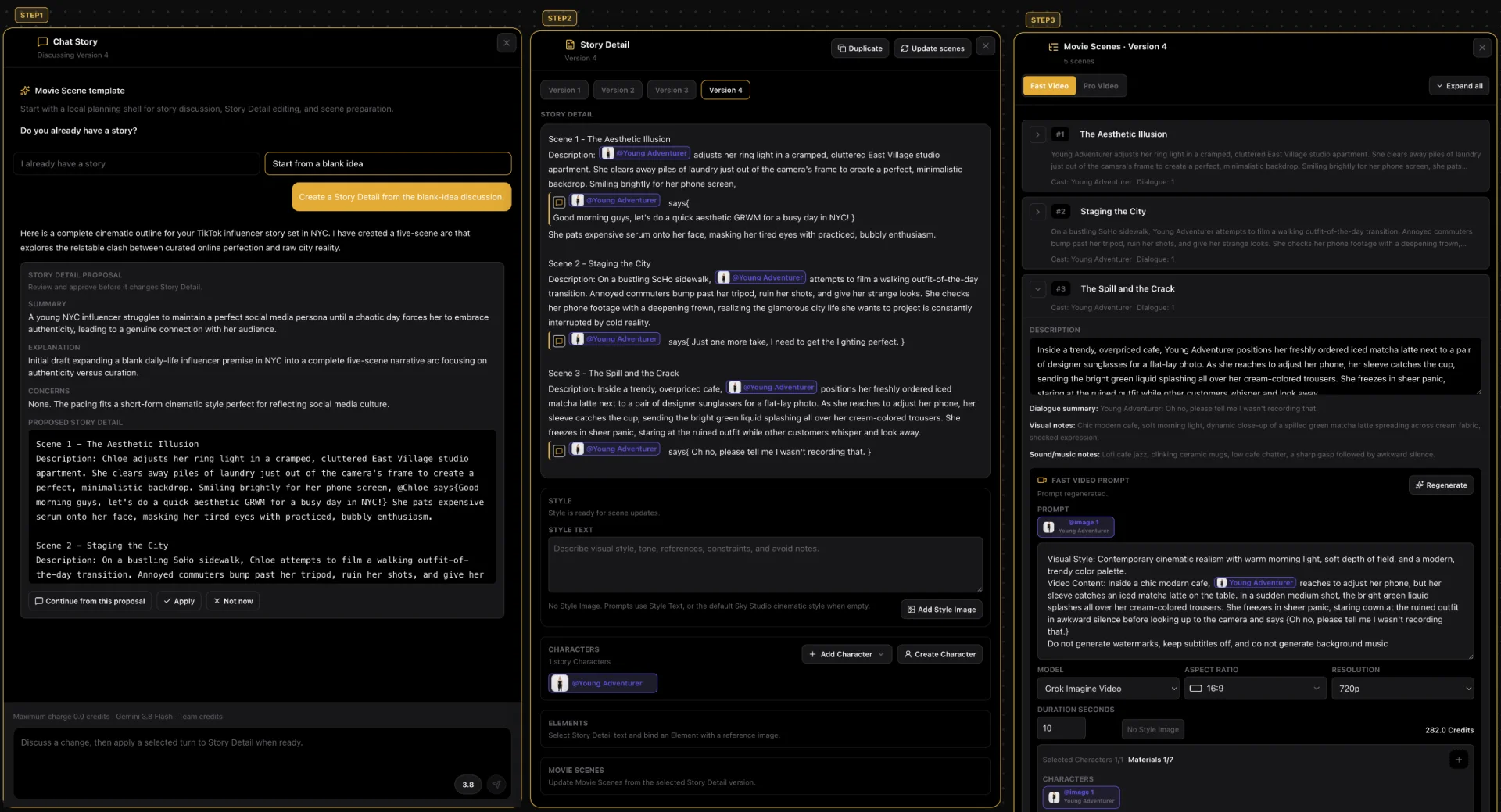
Switching from Higgsfield: how to start
- Download the existing generations you want to keep and choose one small task to try first.
- For a character, open Characters, add one reference image or a description, and select one model at 2K. Follow the character-sheet tutorial to check the result.
- For a story video, use the saved character in Cinematic and test one shot before generating more. If you only need a still image, start in the workspace.
You can check the options in Higgsfield alternatives before choosing a workflow.
Frequently asked questions
Does canceling Higgsfield take effect immediately?
No. According to Higgsfield's Help Center, canceling only turns off auto-renewal: you keep using what you paid for until the period ends, then there are no more charges and the account moves to the free tier.
Will I lose my generations if I cancel?
No. Canceling doesn't delete your account or your generations. Higgsfield says that if an account stays inactive for a long time, older content may be moved to cold storage under its Terms of Use, but it isn't deleted. Generations go away only if you delete the account.
Can I still use subscription credits and Credit Packs after canceling?
Subscription credits expire permanently at the end of the paid period. Credit Pack, Auto-Refill and promo credits are not lost when you cancel and can still be spent on the models the free plan includes, but their validity keeps running: 90 days from purchase for Credit Packs and Auto-Refill, and their own expiry date for promo credits. The free plan offers fewer models than the paid plans.
Does canceling Higgsfield give me a refund?
No. Canceling only stops future charges. A refund is a separate request to support, and all three conditions must be met: an initial purchase, within 7 days (or longer where your local law allows), and no credits used. Renewals are not refunded.
I used a few credits. Can I still get a refund?
According to Higgsfield, no. If any credits from that purchase were used, there is no refund, however many are left. Free generations and Unlimited model generations don't count as credit usage.
Can I get the unused months of an annual plan back?
There are no prorated refunds. An annual plan is refunded in full if you bought it within the last 7 days (or longer where your local law allows) and used no credits, minus a service fee of up to 6%, and the subscription is canceled at once. After that window, the plan stays active until the end of the paid year; cancel early to stop the next renewal.
I bought Higgsfield in a mobile app. How do I cancel?
According to Higgsfield, it has no mobile or desktop app and subscriptions are sold only on its website; apps that present themselves as Higgsfield aren't official. Higgsfield support can't activate, transfer or refund anything bought elsewhere, so contact the place you paid.
How do I cancel a team plan?
The workspace Owner submits the Subscription Cancellation Request Form from Manage Account → Organization → Manage Account → Cancel Subscription. If you only want fewer seats, contact Higgsfield support and the next renewal starts with fewer.
What's the difference between canceling and deleting my account?
Canceling only stops renewal; your account and generations stay. Deleting the account cancels the subscription automatically, deletes all your generations, trained characters and projects, and loses any credits left; after 30 days from confirming, it can no longer be restored.
Can I resubscribe after canceling?
Yes. According to Higgsfield, you can resubscribe at any time from the Pricing page.
Is there an option without a subscription?
Sky Studio has no subscription: you pay as you go, credits never reset at month end or expire, and nothing renews automatically. We also never use your prompts, uploads or creations to train AI models. To compare more options, see our Higgsfield alternatives.
If I switch to Sky Studio, can I keep using my Higgsfield images?
Images you have the right to use can be uploaded to Sky Studio as references. The Characters page can also import front, side and back images you already have (the headshot is optional), save them as a character and let you call it with @ in the story.